Today is the day! We have ported a minimally usable subset of VisualGDB to our cross-platform CodeVROOM IDE. You can now create ARM-based embedded projects on Windows, Linux and MacOS using the VisualGDB’s CMake engine: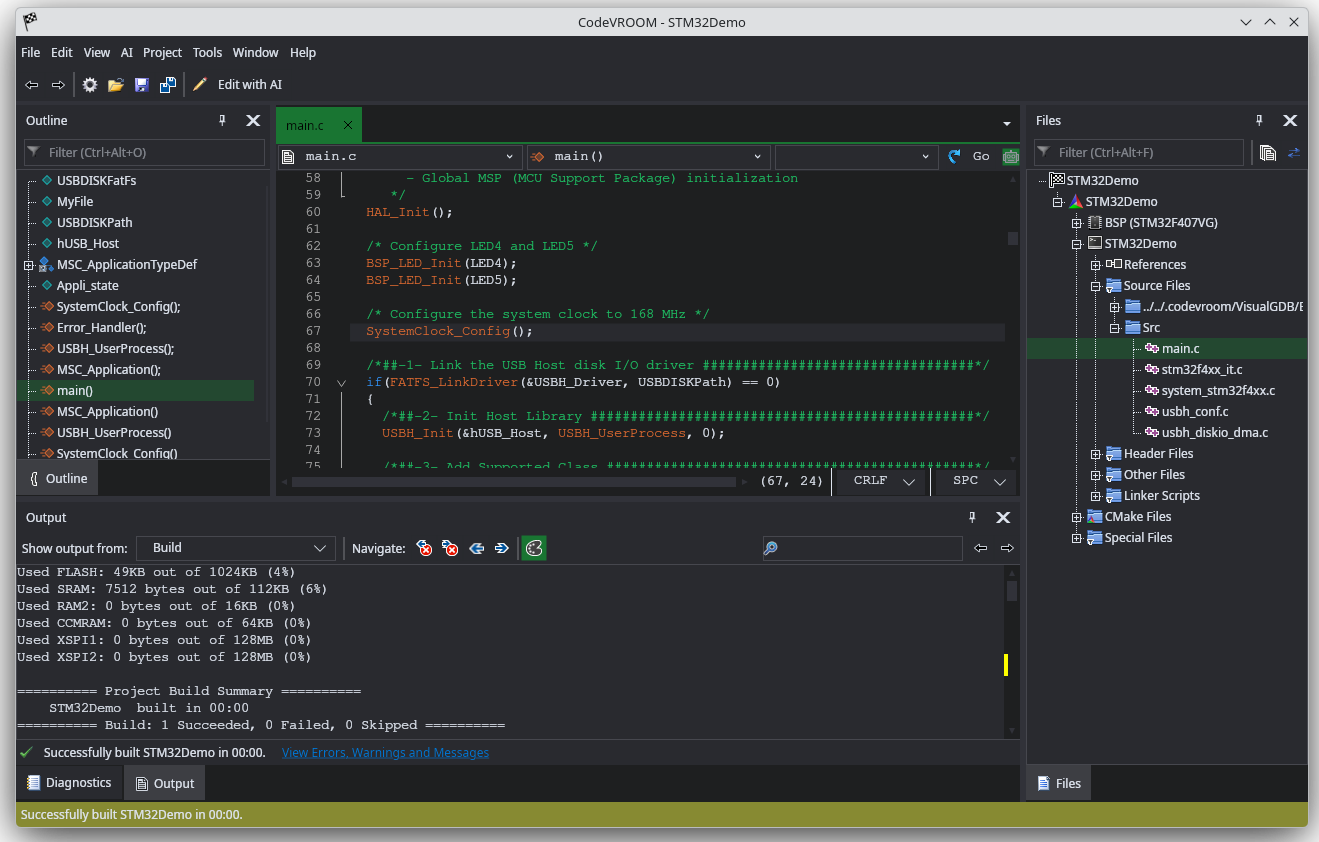 This is still a very early development preview. A lot of GUI is still missing, debugging is not there yet, but the code completion and navigation work just fine.
What works
We have fully ported our Clang-based C/C++ engine that drives Visual Studio’s IntelliSense for Advanced CMake projects. We also fully ported the Advanced CMake project backend, so you will see the familiar nodes in the workspace view with platform-specific icons replacing Visual Studio-specific ones.
Code Suggestions (Ctrl+Space), Go-to-Definition and Find References commands also work exactly the same, and are consistent between Windows, Linux and Mac: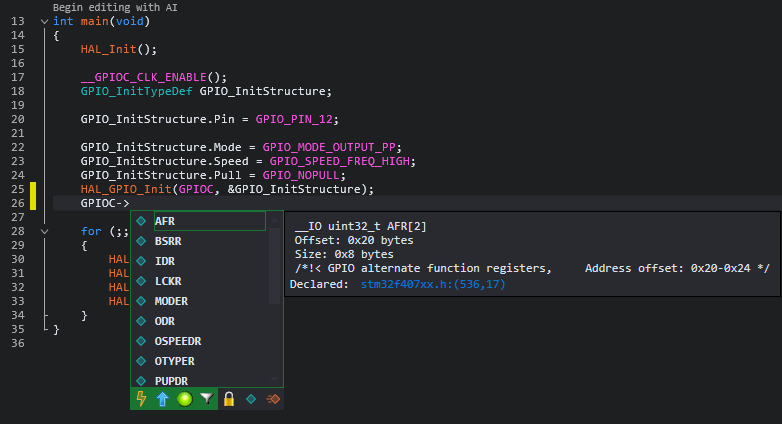
Device configuration GUI also works, but is currently only shown in the wizard: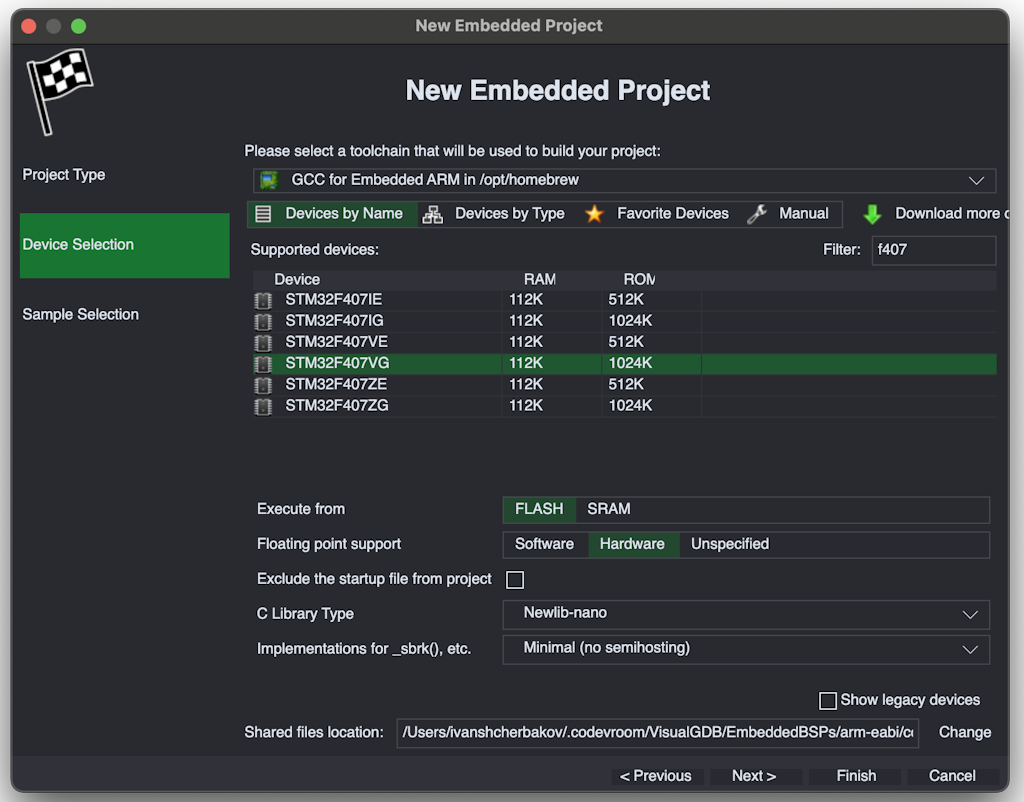 The errors window has also been redesigned to address the complicated structure of GCC’s error messages (also coming to VisualGDB 6.2).
Building projects works just fine, however if you want to program them into the FLASH memory, you would need to do it manually via Smart Terminal.
What Doesn’t Work
The current version is fairly usable if you want to explore existing code (e.g. browse STM32 examples). CodeVROOM doesn’t require installation (and if you do install it, it only takes a few seconds), so you can have pretty instant access to navigable project samples on any PC or Mac you have. No messy setup, no headache.
A port of the VisualGDB Project Properties GUI is coming soon, along with CodeJumps GUI and ESP32/Raspberry Pi Pico support.
Tutorials
You can get a basic idea of how it works from the Windows, Linux and MacOS tutorials. See this tutorial for a quick overview of the current code editing functionality.
You can also import existing CMake projects in CodeVROOM as shown here, or directly open the .vgdbcmake files via File->Open Project (although this may require some manual edits).
Download
You can download CodeVROOM 0.5 with the functionality ported from VisualGDB here.
Feedback
We are pretty flexible on what gets ported next. If you have a project starting on Linux or Mac, and are looking for particular VisualGDB features, feel free to reach out to us.