Sysprogs forums › Forums › VisualGDB › Error when setting PicoSDK to 2.3.0
- This topic has 4 replies, 2 voices, and was last updated 2 months, 1 week ago by
TerryR.
-
AuthorPosts
-
August 12, 2026 at 12:20 #37368
TerryR
ParticipantOn the VisualGDB Project Properties page I have a choice of Pico SDK 2.2.0 or 2.3.0. If I choose 2.2.0 the cmake reloads, and I can compile my project. If I select 2.3.0 I get the following error during cmake reload…
System.NullReferenceException: Object reference not set to an instance of an object.
at q51.b(xe4 a)
at iv.f.u(String a, String b)
at fp2.g_2(ok3 a)
at qs.j(List1 d, List1 e, String b, Boolean& a, y83& c)
at qs.e()
at gb2.k_2_2_2_2_2_2_2_2_2_2_2_2_2(of3 a, rv b)
at vc2.o1(ToolchainSubtype a)
at rv..ctor(VisualGDBProjectSettings2 h, fc1 a, xz e, l g, ku3 c, IDELevelProjectInfoForBuilding f, AlternateDebuggerSetup b, String d)
at u04.h4(IDELevelProjectInfoForBuilding a)
at u04.f3(lh3 a)
at u04.a2(k b, Int32 a)It appears as though an object pointer somewhere is NULL? I have no idea how to interpret that error message to identify the bad reference. Something to do with “ToolchainSubtype”?
The 2.3.0 SDK was initially loaded using the Pico extension in VS Code, but I did an overwrite reload using VisualGDB; that didn’t fix the problem.
If I use VS Code with the same CMakeLists.txt file, cmake loads, and it compiles O.K. The VS Code Pico extension adds a header to the CMakeLists.txt; I wrapped that in a conditional statement so that VisualGDB doesn’t process those cmake commands specific to VS Code. My VisualGDB project properties adds the “VisualGDB” cmake definition.
if ( NOT DEFINED VisualGDB)
# == DO NOT EDIT THE FOLLOWING LINES for the Raspberry Pi Pico VS Code Extension to work if(WIN32)
set(USERHOME $ENV{USERPROFILE})
else()
set(USERHOME $ENV{HOME})
endif()
set(sdkVersion 2.3.0)
set(toolchainVersion 15_2_Rel1)
set(picotoolVersion 2.3.0)
set(picoVscode ${USERHOME}/.pico-sdk/cmake/pico-vscode.cmake)
if (EXISTS ${picoVscode})
include(${picoVscode})
endif()
#====================================================================================
endif()-
This topic was modified 2 months, 1 week ago by
August 13, 2026 at 11:04 #37370support
KeymasterHi,
VisualGDB and the Pico VS Code extension use slightly different project formats. E.g. the VS Code extension hardcodes the SDK version in CMakeLists.txt, while VisualGDB stores it in its own properties file.
You might be able to get it working by creating 2 projects side-by-side, and merging them one step at a time, but it could require some non-trivial troubleshooting and is generally not recommended.
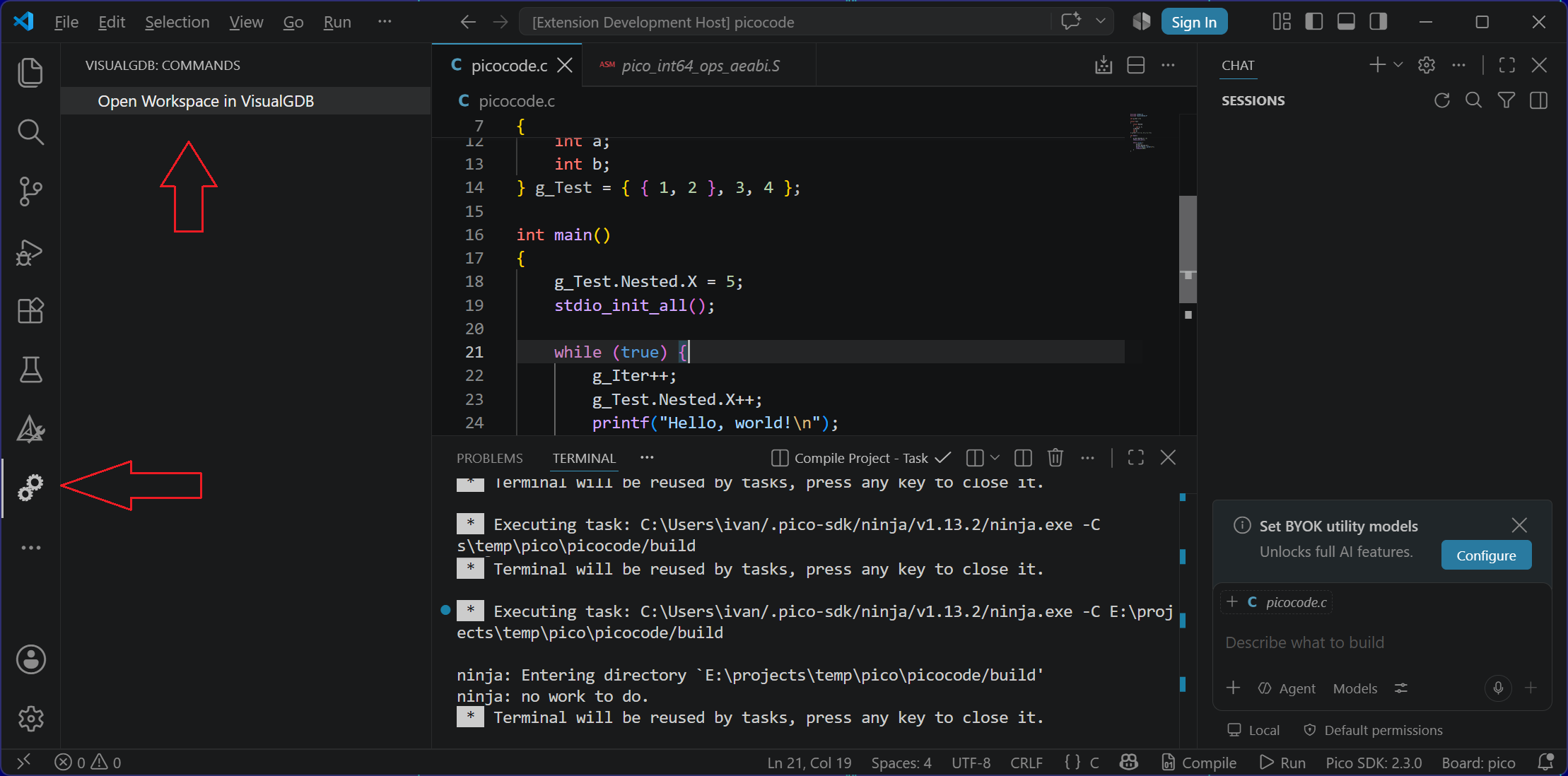
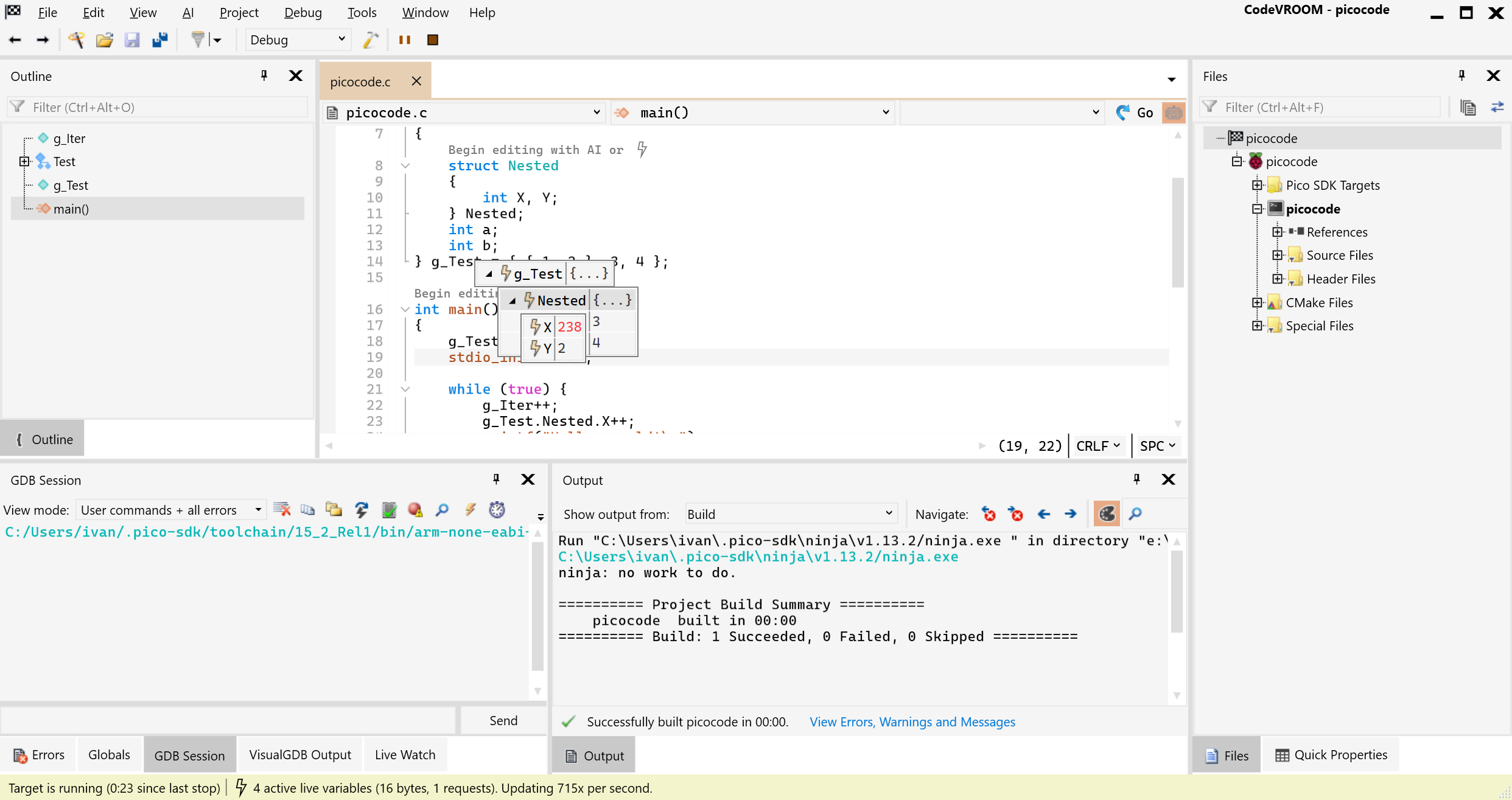
If you want full interoperability with VS Code, you may want to try VisualGDB for VS Code (visualgdb-vscode-0.0.1.vsix). It transparently translates the VS Code variables to CodeVROOM, so you can just click Open Workspace in VisualGDB inside VS Code, and immediately get the VisualGDB GUI for your project.
Attachments:
You must be logged in to view attached files.August 13, 2026 at 13:26 #37373ParticipantHi,
Thanks for your reply.
Actually I don’t really want to use VS Code; I prefer the Visual Studio layout that I’m used to. I only loaded VS Code to see if it would function without an Internet connection.
So, using my nightly back-ups, I restored my system drive (C:) to its state on the evening before I installed VS Code; it’s gone, kaput, finito! There’s no ….\pico-sdk\sdk\2.3.0 sub-directory.
Now, I used VisualGDB properties page to select a pico sdk. I don’t even see 2.3.0 unless I click on “show all github tags”; it only goes up to 2.2.0 otherwise. I selected 2.30. and it seemed to do a successful install, but when I reload cmake for the project, I get the exact same “System.NullReferenceException”.
So, is 2.3.0 supported yet? Maybe I shouldn’t use anything that needs “all github tabs” selected?????
August 14, 2026 at 08:52 #37375KeymasterHi,
We have just tried doing a clean installation: deleted the entire %USERPROFILE%\.pico-sdk folder, restarted Visual Studio and re-installed Pico SDK 2.3.0 using the VisualGDB GUI. It worked.
You can try first deleting the %USERPROFILE\.pico-sdk\.sysprogs directory and restarting VS, and if it doesn’t help – deleting the entire %USERPROFILE%\.pico-sdk, and re-downloading everything. This should replace any corrupt release list files, resolving the NullReference exception.
That said, the 2.3.0 release should appear under the regular list (not “All Github Tags”) if it doesn’t, it could indicate that something else is broken, so deleting the .pico-sdk directory could be necessary.
Edit: we rechecked the fetching logic, and found the most likely cause. Deleting .pico-sdk\.sysprogs and restarting VS should fix everything nicely.
August 14, 2026 at 12:41 #37377ParticipantThanks again.
I still had some issues after deleting the entire .pico-sdk directory and re-installing 2.2.0 and 2.3.0. I did a “Clean” and “Reload CMake Project”. The errors were…
CMake Error at …/.pico-sdk/sdk/2.3.0/src/CMakeLists.txt:37 (add_subdirectory):
add_subdirectory not given a binary directory but the given source
directory “…/.pico-sdk/sdk/2.2.0/src/rp2040/pico_platform” is
not a subdirectory of “…/.pico-sdk/sdk/2.3.0/src”. When
specifying an out-of-tree source a binary directory must be explicitly
specified.This 2.2.0 reference made me think something is cached somewhere, so I deleted the .visualGDB subdirectory in the project directory, leaving only the CMakeLists.txt and the .vgdbprog file. After doing that, I am now able to switch between 2.2.0 and 2.3.0 after just a simple “Clean”.
So, everything’s AOK. Problem solved!
-
This topic was modified 2 months, 1 week ago by
-
AuthorPosts
- You must be logged in to reply to this topic.