Sysprogs forums › Forums › VisualGDB › Create VGDB project missing from menu
- This topic has 12 replies, 2 voices, and was last updated 3 months, 3 weeks ago by
Sherlock.
-
AuthorPosts
-
June 20, 2026 at 09:03 #37275
Sherlock
ParticipantI installed VGDB today and I have VS2022 and VS2026 (both enterprise).
In VS2022 I can see the VGDB option the new project menu in VS2022 but not in VS2026.
I opened an existing simple project in VS2026 though and it loaded and built and runs.
Any suggestions?
Thanks
June 20, 2026 at 09:05 #37276support
KeymasterHi,
Please try completely uninstalling VisualGDB, and then installing it back.
You can double-check the Help->About VisualGDB in both VS instances. If it is present, VisualGDB has been loaded successfully.
June 20, 2026 at 09:20 #37277ParticipantOK I can try that, I did have trouble installing it too.
I originally had an older version of VGDB ( bought it some years ago) and used that fine in VS2022.
A few weeks ago I was in VS2022 and saw an option to update or something and clicked it without much thought.
It said my license was not compatible with the update (fair enough, it was an old license) and I somehow aborted.
Today I decided to uninstall the old VGDB and install the latest 6.1r3 (trial) when I did that I get a series of two dialogs saying that reported “unknown major VS version: 21” and another for 22 I think.
I did a repair of VS2022 just to see if that was a factor.
I closed all VS instances and retried, I got the same two dialogs but the install did appear to work this time.
So now the only issue is the absence of the new project option in VS2026.
Should I just uninstall and reinstall as you suggest or is there anything you’d like to know/see before I do that?
Thanks
PS: I did some digging around the registry but saw nothing obvious and did not change anything in there.
-
This reply was modified 3 months, 4 weeks ago by
June 20, 2026 at 09:26 #37279ParticipantBy the way the About VGDB appears in both VS2022 and VS2026
June 21, 2026 at 17:53 #37280KeymasterHi,
If About VisualGDB command appears in both VS instances, the wizards should work as well.
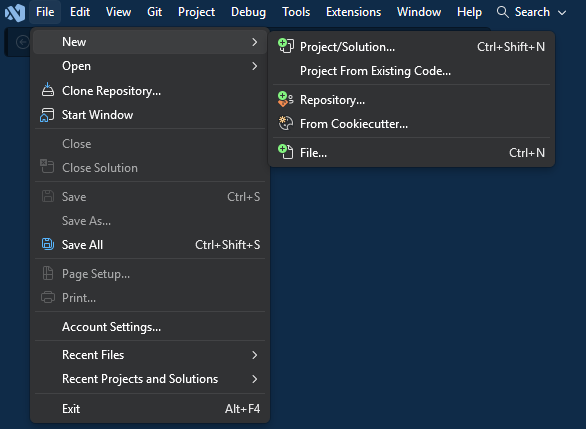
You can double-check it by explicitly searching for “VisualGDB” in the wizard window, or using the separate File->New->VisualGDB Project command that just shows the wizards provided by VisualGDB.
June 22, 2026 at 11:50 #37284ParticipantThis is what I see in VS2026:
But the extension is installed:
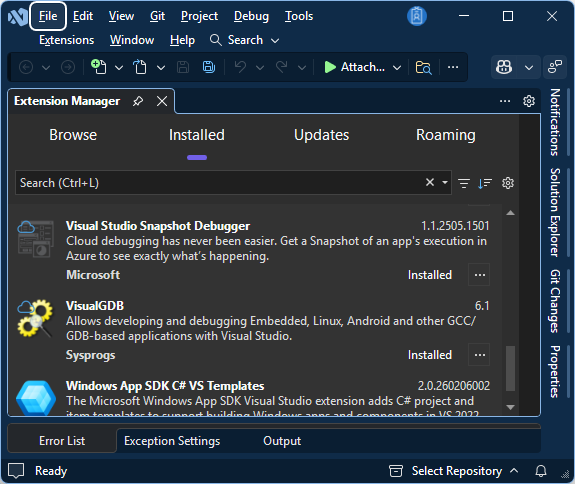
So I can’t see any Wizard, but I can in VS2022.
June 22, 2026 at 12:01 #37285KeymasterThis could be a bug with the VS cache then.
You can try uninstalling VisualGDB, uninstalling VS2026, completely removing VS2026 directory, reinstalling VS2026, and reinstalling VisualGDB. This should fully reset all caches.
June 22, 2026 at 14:59 #37286ParticipantWow, OK I will attempt that when I get a suitable point, thanks.
June 25, 2026 at 07:58 #37288ParticipantCould somebody please confirm that the presence of Visual Studio Professional 2026 Insiders edition as well as standard Visual Studio 2026 Enterprise, does not lead to installation problems with VisualGDB 6.1.103.5547 ?
Also I have SQL Server Mgmt Studio vs 21 installed – could that in any way impact the installation of this VisualGDB extension?
Thanks
-
This reply was modified 3 months, 3 weeks ago by
June 25, 2026 at 08:19 #37290ParticipantApparently the latest version of SSMS (quite different to old familiar SSMS) is called v21 but it creates entries here:
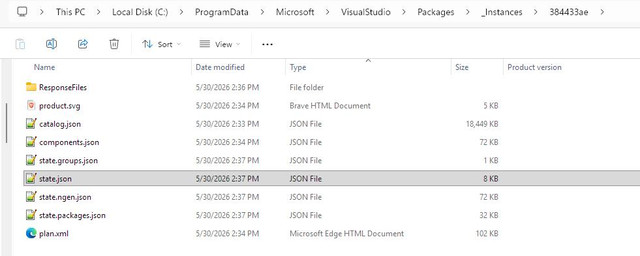
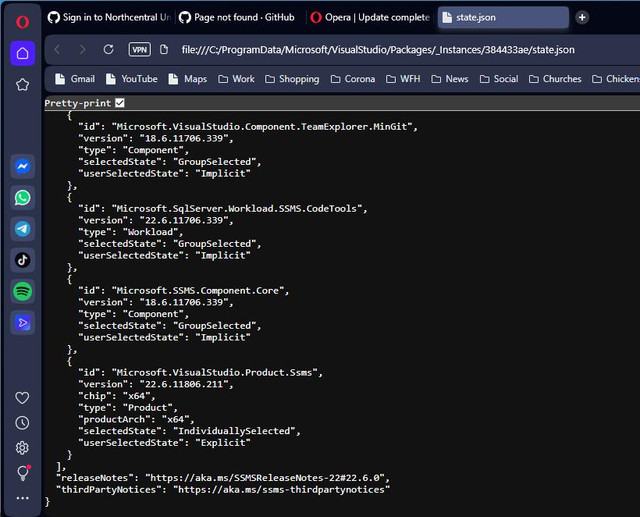
Inside the JSON we see entries for SSMS v22, I’m not sure what this all means but it seems it leverages aspects of Visual Studio’s extension features.
This make me suspicious that something that isn’t Visual Studio, is present in a Visual Studio system folder and refers to 21 and 22…
June 25, 2026 at 08:31 #37293ParticipantOne last post, this is what’s at the bottom of that .json file:
 June 25, 2026 at 08:37 #37294Keymaster
Hi,
Please try using File->New->Project/Solution and then searching for VisualGDB there. It should show the VisualGDB wizards just fine.
June 25, 2026 at 08:47 #37295ParticipantOK yes, that works, if I scroll down the template list I see VSGDB stuff near the end, just wasn’t expecting it to appear like that.
I created a trivial blinker and it runs fine, all good.
Thanks for your patience!
-
This reply was modified 3 months, 4 weeks ago by
-
AuthorPosts
- You must be logged in to reply to this topic.